Gentle reminders for the things you take
OnDose reminds you when it’s time for your medications, vitamins or supplements, records a dose with one tap, and follows up only if you haven’t. Everything stays on your phone.
Coming soon to iPhone and Android
$2, one time₱129, one time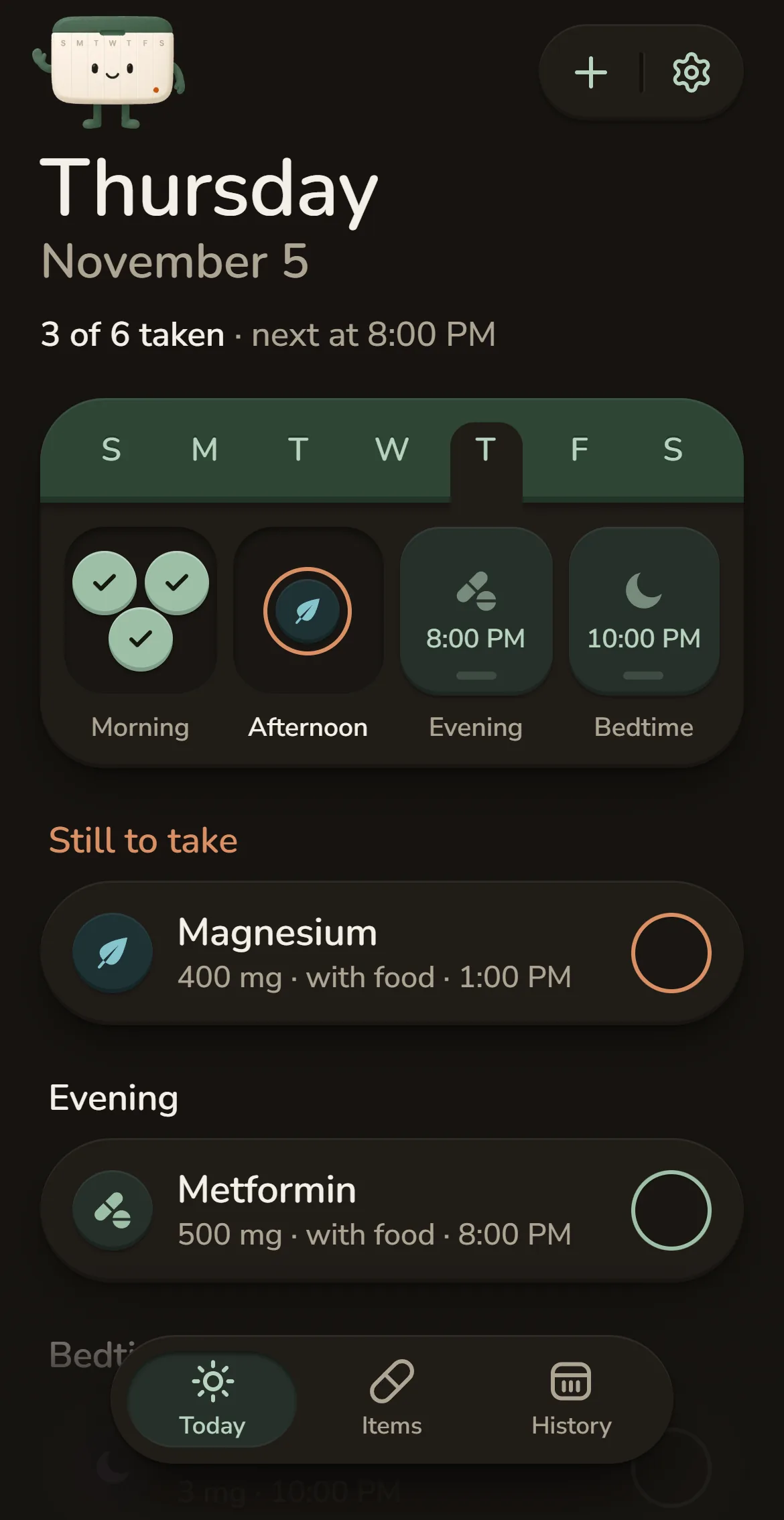
Today
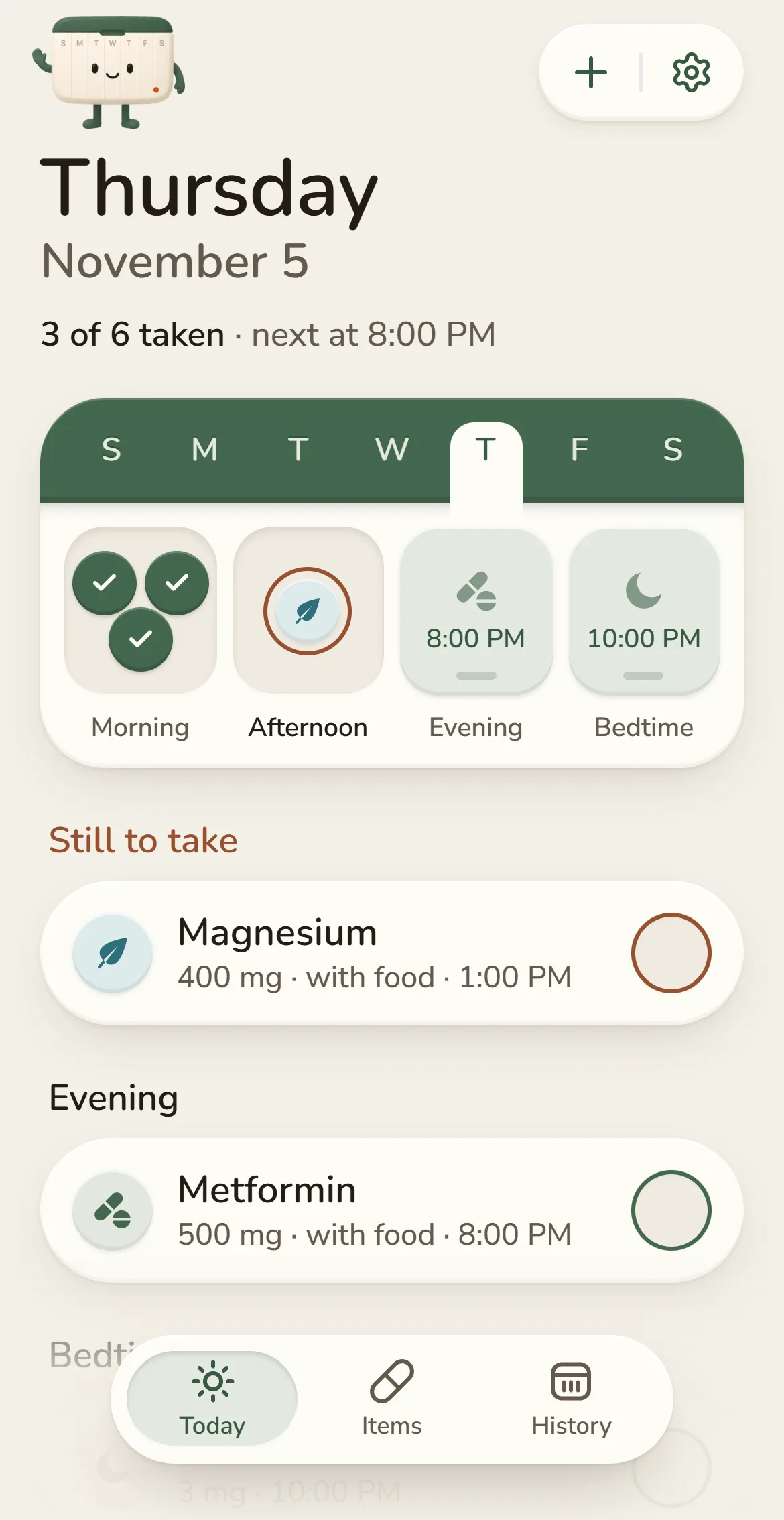
Your whole day in one list
One quiet line sums up the day, like “3 of 6 taken · next at 8:00 PM”. Below it: what’s still to take, what’s coming up, and what’s done.
- Tap the circle to record a dose, with five seconds to undo
- No percentages and no streaks to keep up
- Follows your phone’s light or dark appearance
Reminders and follow-ups
Reminders that follow up
OnDose can remind you again, but only if you haven’t recorded the dose yet. Recording it cancels the follow-ups still waiting.
- Per item: one reminder, a gentle follow-up after 30 minutes, or follow-ups at 15, 30 and 60 minutes
- Scheduled on your phone, so reminders arrive without a connection
- A generic mode keeps item names off the lock screen

Thursday, November 5
1:00

Time for Magnesium
Magnesium · 400 mg · with food
now
Adding an item
Add anything in under a minute
Name it, pick an icon and a color, and add the dose from your label. Then set a schedule (every day, specific days, every few days or once) with as many reminder times as you need.
- Name suggestions from built-in templates as you type
- Options that need explaining say what they do right underneath
- Templates fill in the name, type, icon and color, and leave the dose to you


Your library
Find anything, even after you archive it
Filter by medications, vitamins, supplements, custom, paused or archived. Search covers everything you track, paused and archived items included, plus templates to start from.
- Open an item for its schedule and recent doses
- Edit, pause (indefinitely or until a date), archive or delete
- Deleting can keep the history or erase everything


History
An honest, quiet history
Each dose is taken, skipped or not recorded, with an icon and a label as well as a color. A count for the week and one for each day sum it up, and that’s all.
- A weekly count of recorded doses, with no scores or grades
- Forgot to record a dose? Record it later from any of the last 90 days
- Changing a schedule never rewrites past history

Privacy and your data
Your data stays on your phone
There is no account and no server. Your items, schedules and records are saved by the app on your phone, and OnDose makes no network requests with them.
- No analytics, no crash reporting, no ads and no third parties
- Erase all data in Settings removes everything at once
- Uninstalling the app deletes your data too, since there is no copy anywhere else


First run
A short setup that adapts to you
Setup is short, you can skip it, and it only tunes defaults. It never asks about your health.
- Notifications are explained before the system asks
- Say no and the app still works as a manual tracker
- Quit halfway and it picks up where you left off


What OnDose won’t do
The calm comes from what it leaves out
A medication reminder should never make you feel watched or judged
- No guilt
- It shows what’s still to take and what wasn’t recorded. No streaks, no scores and no scolding.
- No advice
- No default doses, no interaction checks and no health claims. Your label and your clinician decide.
- No accounts
- No profile, no password and no cloud sync. Open the app and it works, offline.
- No tracking
- No analytics, no ads and nothing that reports back. Nobody, including the developer, can see what you take.
Under the hood
- iPhone and Android
- One Expo app, with the native tab bar on each platform
- Stored on your phone
- Saved on the device by the app, with no server and no account
- Local notifications
- Reminders and follow-ups are scheduled on the phone, with no push server
- Accessible
- Screen reader labels, text that follows your system font size, and support for Reduce Motion
Pricing
Pay once, and it’s yours
No subscription, no ads and nothing held back for an upgrade. You buy OnDose once and get every part of it.
$2₱129one time
Planned launch price. Each store shows it in your currency.
- Every feature included
- No subscription or renewals
- No ads and no tracking
- Your data stays on your phone
Coming soon